

✨ When I Realized My Paper Planner Couldn’t Keep Up
I’ve always loved the feeling of paper — the pen glide, the page turns, the quiet space to think.
But after having my second child, I found myself juggling nap times, work projects, and life admin all at once.
Suddenly, my beautiful paper planner became another thing I couldn’t keep up with.
Appointments changed. Routines shifted. My once-aesthetic spreads turned into half-scribbled chaos.
So I tried something new — I opened GoodNotes, imported a digital planner, and waited to hate it.
But I didn’t.
Because what I found wasn’t perfection.
It was permission.
Permission to move things.
Permission to start again.
Permission to plan without guilt.
That’s when I realized: digital planning isn’t about being techy — it’s about being kind to yourself.
This post may contain affiliate links. If you purchase through them, I may earn a small commission at no extra cost to you. Thank you for supporting Graceful Planner Co. 🌿
🌿 Why Digital Planning Feels Overwhelming
If you’ve ever opened a planner in GoodNotes and thought:
- “Where do I even begin?”
- “Why don’t these hyperlinks work?”
- “Why does my layout look messy already?”
You’re not alone.
Most people start digital planning by chasing the perfect setup — dozens of folders, stickers, templates, and widgets. But the truth? That’s what causes the overwhelm.
Digital planning isn’t meant to replace your personality with productivity.
It’s meant to fit your rhythm.
🌸 The Gentle Alternative: Start Small and Slow
You don’t need a 200-page planner to get organized.
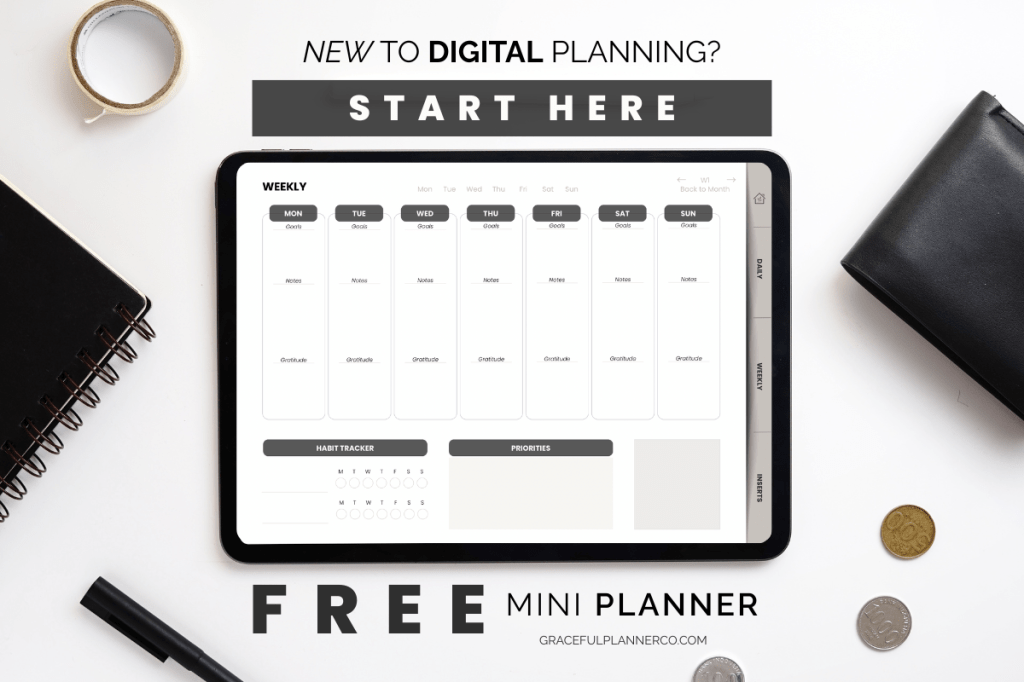
Start small — like with the Mini Digital Planner, a free, beginner-friendly planner designed to help you explore at your own pace. It’s a calm, ready-to-use planner that shows you how simple and beautiful digital planning can actually be.
Here’s how to ease into it:
1️⃣ Download the Mini Digital Planner and import it into GoodNotes or Notability.
2️⃣ Tap through the hyperlinks — notice how smooth navigation feels without clutter.
3️⃣ Test the daily or weekly pages — write, erase, duplicate, experiment.
You’re not aiming for perfect layouts. You’re discovering what works for you.
💻 How to Make GoodNotes Work for You (Not Against You)
Once you’ve tried the basics, here’s how to bring calm into your system:
🌿 Simplify your setup.
Keep one planner file, one theme, and one purpose — clarity beats complexity.
🗂 Create folders by function.
Try categories like “Work,” “Home,” and “Personal.” Avoid monthly folders that add unnecessary steps.
⭐ Pin your favorite page.
Your daily or weekly spread should be just one tap away — no endless scrolling.
🕯 End each day with reflection.
Digital planning isn’t just about tasks — it’s about closing your day with intention.
🪴 Hybrid Planning: The Best of Both Worlds
Some days I still use paper. When I need to slow down, I journal in my notebook.
But digital planning gives me something paper can’t: freedom.
I can plan from bed while feeding my baby or tweak a layout while waiting in the car.
It fits my life, instead of asking my life to fit into a planner.
That’s the beauty of hybrid planning — rhythm meets flexibility.

✏️ Affiliate Tools to Make It Easier
If you’re just starting out, here are a few tools that make digital planning smoother:
- ✍️ GoodNotes 6 — intuitive and perfect for beginners.
- 💻 Apple Pencil (2nd Gen) — the closest thing to writing on paper.
- ☁️ iCloud Sync — keeps your planner updated across devices automatically.
💫 Try Digital Planning, Gently.
Start with the free Mini Digital Planner, and when you’re ready, expand into the Starter Digital Planner Kit — both designed for calm, intentional planning.
✨ Download Your Free Mini Digital Planner
🪶 Continue Your Journey
- Switching From Paper to Digital Planning (October Week 1)
- How to Use GoodNotes for Digital Planning (Beginner’s Guide)
🌙 Final Reflection: Ease Over Perfection
Digital planning taught me that I don’t have to get it all “right.”
I just have to show up — one page, one tap, one rhythm at a time.
It’s not about the perfect layout.
It’s about the peace that comes when you stop chasing perfection and start planning for real life.
🌿 Download your free Mini Digital Planner and see how light planning can feel when you let go of pressure.
Save this for later!

 Graceful Planner Co